Showing posts with label Website. Show all posts

Wednesday, February 8, 2012

Pining for a Pedigree Chart, Part 3 or What I Did

Using the strategy of "translating" the HTML code that I wrote about in my last post I was able to achieve my goal of a pedigree chart interface on my yet to be born website. This is what I did.

In Legacy I created pedigree style web pages for a family group.


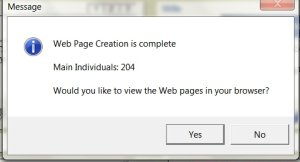
I chose to view the pages in my browser and selected a page to transfer to my website, making note of the file title.


I found the file in the Legacy file on my hard drive and chose to "Open With" a text file editor (in this case Notebook).


The opened text file contained the HTML code for the web page. I copied all of the text.


I opened my web site in Google Sites and chose to create a new page. I used the same name as the file for the page name (later on I'll go back and change names if I wish) and selected the basic Web Page template.


I selected the "Edit HTML Source" option and pasted the copied HTML code from the Legacy generated file. After closing the HTML Editor I was able to edit the page using the WYSIWYG editor.


I edited the page - heavily - and customized the pedigree chart, tailoring it to reflect my use of family group pages rather than individual pages.


Then I saved the page as a template, allowing me to use the design on any new page I choose.


I was so pleased with the result that I designed a template for a modified family group page and saved it as well.


The templates based on the Legacy pages can now be used to create new pages. 

The process of creating the pages is still cumbersome. I can only do a page at a time and have to enter all the links myself, but I can do so on the pedigree chart or in the "Family" box giving me the graphic interface I wanted. It is surely not worth the effort if the goal is a site with a complete (though I know there's no such animal) family tree. In that case I would have to move to a different type of web site that allowed uploading of files or integration with a program like TNG. But for my purposes this works. 

Monday, February 6, 2012

Pining for a Pedigree Chart, Part 2 or I don't speak HTML

One of the benefits of using the WYSIWYG (what you see is what you get) sites like Blogger or Weebly is not needing to know HTML, the language used to format and create links on web pages. (Language is a key word here. We'll get back to it shortly.)

Conversely, these sites also limit what you can do. Generally each page must be created separately, links added individually. There are constraints regarding fonts and graphics. You cannot upload groups of linked pages created by a software program like Legacy. This hasn't created a problem for me as a blogger. I write an entry or two at a time. They're usually pretty free form and content driven.

The website I want to create, however, has many pages and a clear structure. There are pages with specific formats for individual biographies, for families, for locations, for events like the Civil War. Most of the information is coming from my genealogy software. The entire point of the site is the ability to easily move from page to page.

That's one of the reason's I got so fixated on the graphic pedigree chart at the top of the page. There are other reasons having to do with genetics and personality but that's another post.

Anyway, one of the key elements to my web design problem was that I don't "speak" HTML. It's a language, remember? But these sites do. And each of them has a built in translator. On Blogger there are two views when writing a post. "Compose" is the WYSIWYG editor. But if you select "HTML" you will see your post translated into HTML. On Google's Sites, which I'm using to build the website, the translator looks like this.
What this means for we non-speakers is that we have the ability to take something written in a language we don't understand (HTML) and translate it into something we can work with. I discovered this when I was entering data on WeRelate.org, the genealogy Wiki. I had trouble entering information (such a massive understatement) until I realized I could write what I wanted in Blogger and then copy and paste the HTML code from Blogger into WeRelate. HUGE timesaver. 

This time I did the reverse. I copied the HTML code from the web page created by Legacy into Google Sites and edited using their WYSIWYG editor. For those who are interested I'll lay out each step in the next post. 

There are many programs you can download that do the same thing and far more. If you Google "wysiwyg html editor" you'll get pages of links. This is a very low-tech, and pretty dumbed down approach. Just my speed. 

Photo credit Some rights reserved by Nikita Kashner

Sunday, February 5, 2012

Pining for a Pedigree Chart

I'm "back" home after three days as a virtual RootsTech attendee. While not as tired as those who traveled to Salt Lake City and are now traveling home, my head is still spinning. My thanks to the hundreds of people (at least) who produced such an engaging and enlightening conference and allowed us to attend from afar.

After watching Laura Prescott's Publish Your Genealogy Online on Friday I spent much of the next day rethinking my approach to my nascent website (started in 2010 and still not live - surely the longest gestation period ever). My website focuses on several different family groups of 3 or 4 generations. I use a free site (great price) but have been so frustrated in my efforts include graphic layouts or reports generated by my software program, Legacy.

I hadn't considered Legacy's web design capabilities. But after Prescott's presentation, I looked again at one of my favorite sites, Linda McCauley's Linda's Family Tree. Much of her material was generated by Legacy. Linda has been generous with advice and information and I knew that her choice of self-hosted site, and the option of uploading Legacy's web pages, was not going to work for me.

But I really liked the way her pages link through the small pedigree charts. I went back to Legacy and began experimenting with it's web page styles. I produced examples of each, examined them on my browser, and found the format I'd admired on Linda's site - the Pedigree style.

I realized I could produce pages for only the small groups I was working with. The pages generated were not exactly what I wanted, but they were far closer than anything I'd come up with before.


But there I stalled. The free sites I've been working with do not, as in DO NOT, accept ftp uploads, the only way I could transfer the linked pages as a unit to a web site. And while there are some sites that do (RootsWeb), I need the WYSIWYG "webpages for dummies" interface that Google or Weebly have.
I know almost nothing about HTML, the language used in web page design.

I stewed on this for quite a while before accepting the easy route of using pages produced by my software was a no go. But I was still fixated on that little pedigree chart at the top of the page. Had to have it.


In the end, I got it. It's not the easiest solution - I still have to generate each page and all the links - but I have a template that works well. In my next post I'll share how I did it.